Contact an employee
Use the People tab to look up an employee’s contact details. You can contact an employee directly from WORKSuite
- Open the People tab.
- Use the Search field to locate the record that you want to work with. Enter any term shown under the column headers:
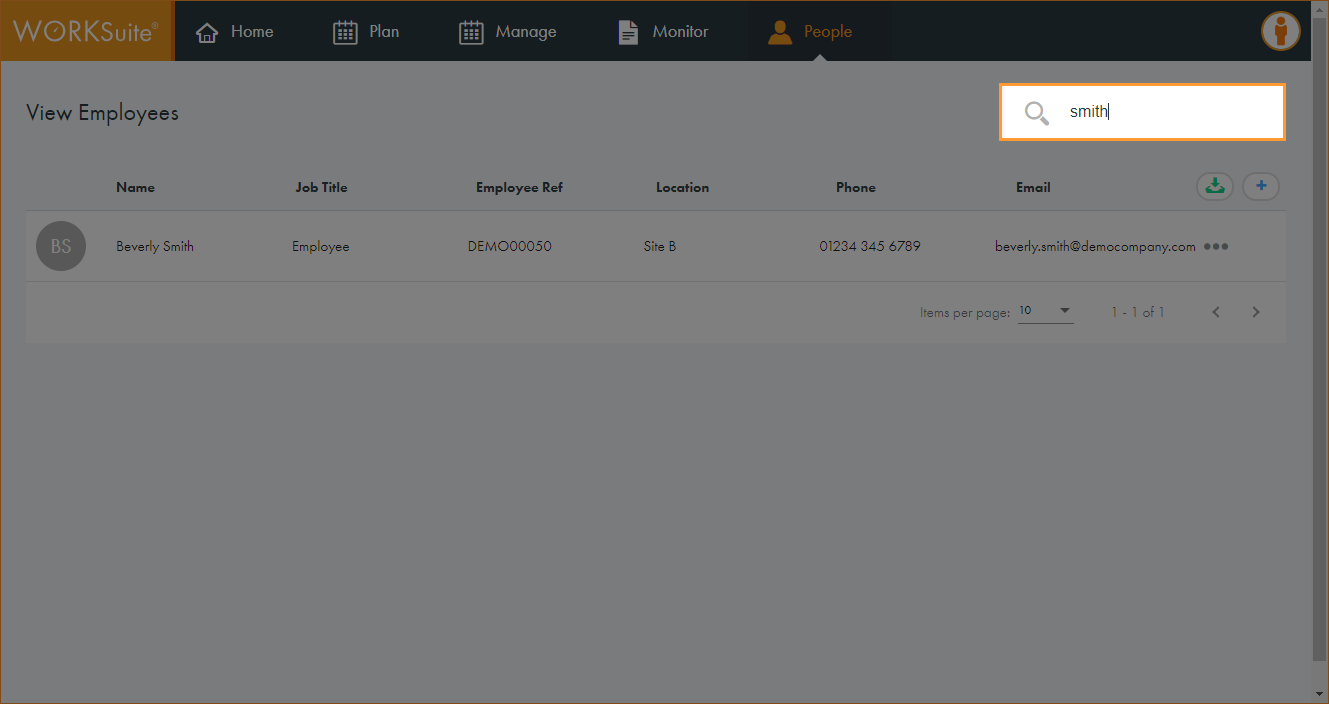
The records filter automatically.
- Click in any of the column headers to sort the records as required.
- Click … in the record that you want to work with and select View Employee.
The Employee Details screen is displayed:
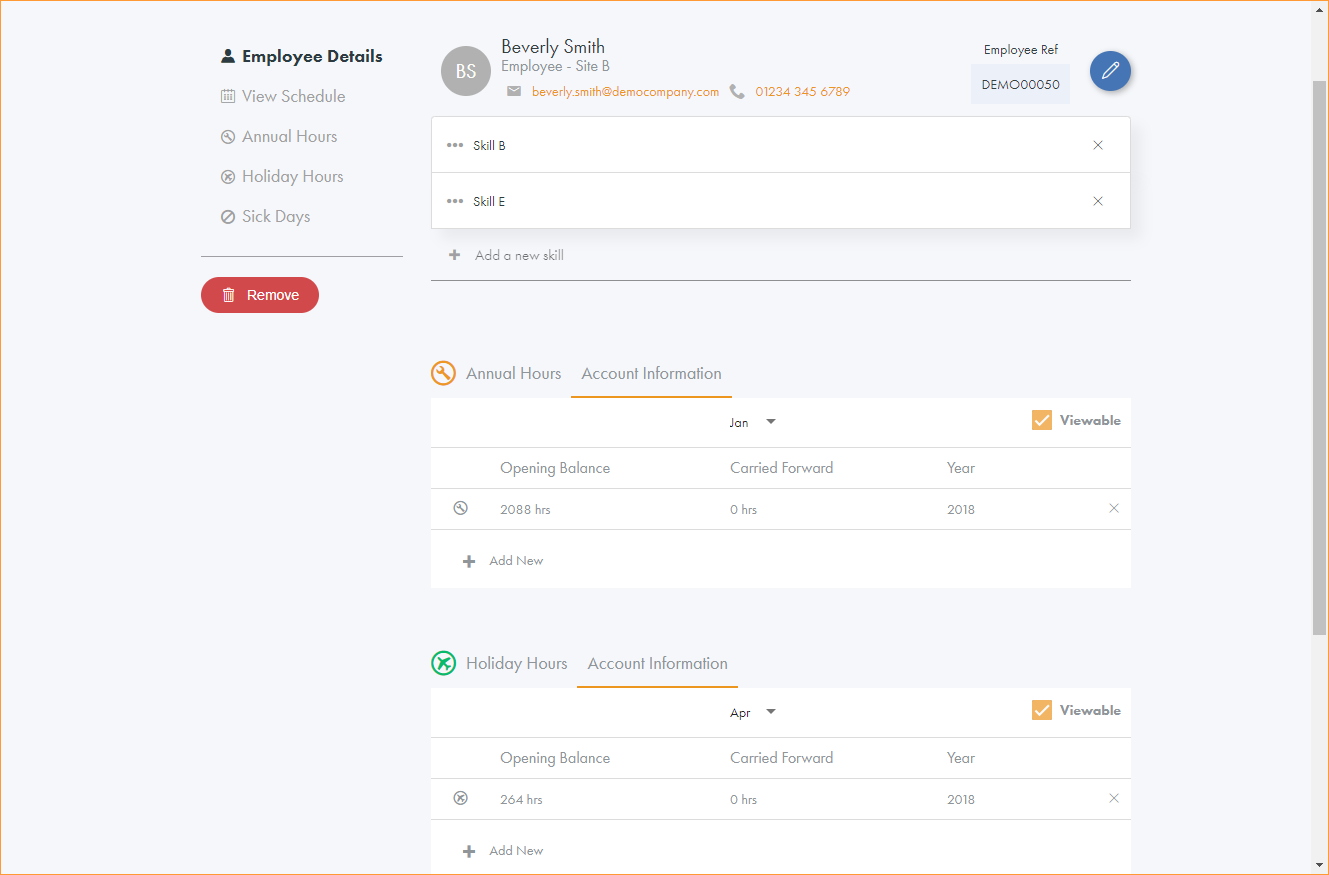
The employee’s email address and phone number are shown at the top of the screen.
- Choose to:
- Send an email to the contact. Click on the email address to contact the employee via your email service provider, such as Outlook.
- Call the contact. Click on the number to dial the number from your preferred telecoms software, such as Skype.